Take the payment right when it's promised
A sponsor calls, a guest buys a kiddush, a member pledges at the door. Take the card now, send a pay link, or put it on the account, and it's on the books before you hang up.
Sponsorships, paid on the spot
Choose how they pay as you write the sponsorship: on their account, by card now, a pay link by email or text, or paid elsewhere. The sponsor box is ready as you type.
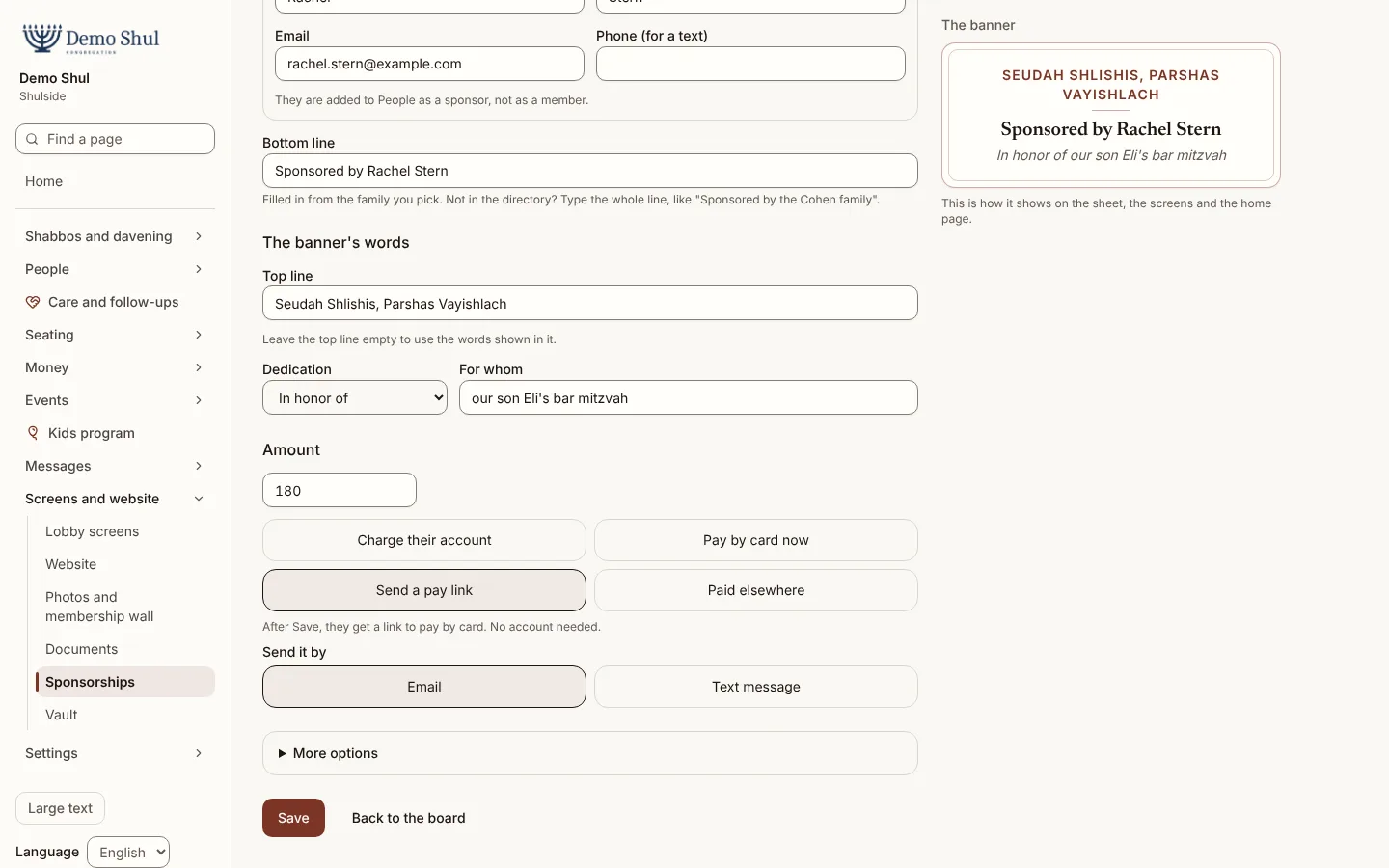
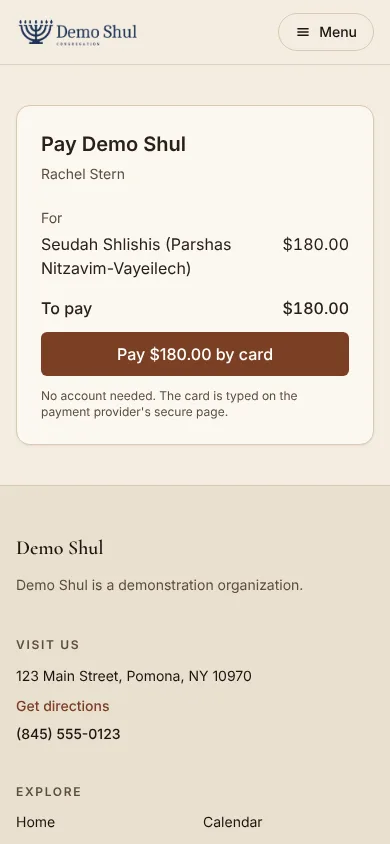
A pay link, no account needed
The sponsor opens the link on their phone, sees what it's for and how much, and pays by card. When it's paid, it's applied to that charge by itself.
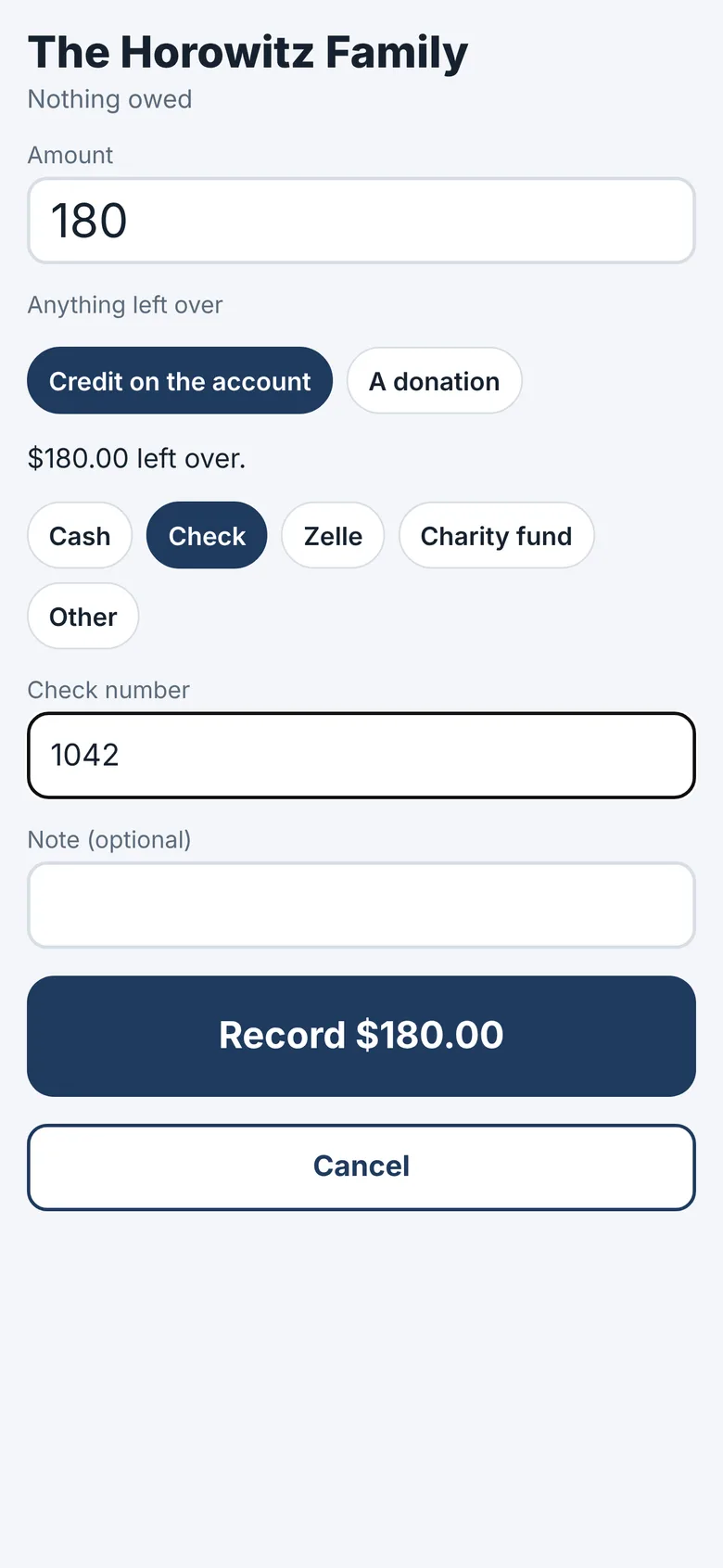
At the door, on the treasurer's phone
At the dinner or after Shabbos, open the family in the app: a tapped card, cash or a check, all on the same balance.
How it works
Turn on card payments for the shul once.
When you add a sponsorship or a charge, choose how they pay: card now, a pay link, or their account.
The payment posts to the family's account with a receipt; the treasurer sees it in the day's deposits.
Questions shuls ask
Does the sponsor need an account?
No. A pay link opens a page with what it's for and a Pay by card button; nothing to sign up for.
What if they pay some other way?
Choose Paid elsewhere and nothing is charged, or record their cash or check on the family's account later.
How long does a pay link work?
Thirty days. A paid link says thank you and never charges twice.
More that works with it
- Online giving, dues and autopay for shulsA simple giving page, monthly gifts and dues on a saved card, and pledges that remind themselves. Members give in seconds; the treasurer stops chasing.
- Tap to Pay: take cards on your phoneAt the dinner, at the door or after Shabbos, the treasurer's phone takes a tapped card or phone for dues, an aliyah, a neder or a gift.
- A Shabbos sheet that fills itselfZmanim, davening times, the parsha, sponsors and yahrzeits land on the sheet by themselves. Print it, email it, put it on the screens.
See it on your own shul
Two short videos show the office and the members' side. Or book twenty minutes and we'll show it with your own sanctuary, families and davening times.