Meals for a family, organized in minutes
After a loss, a birth or surgery, start a meal train, send one link, and watch the days fill. Only the people cooking see the address.
Sign up in three taps
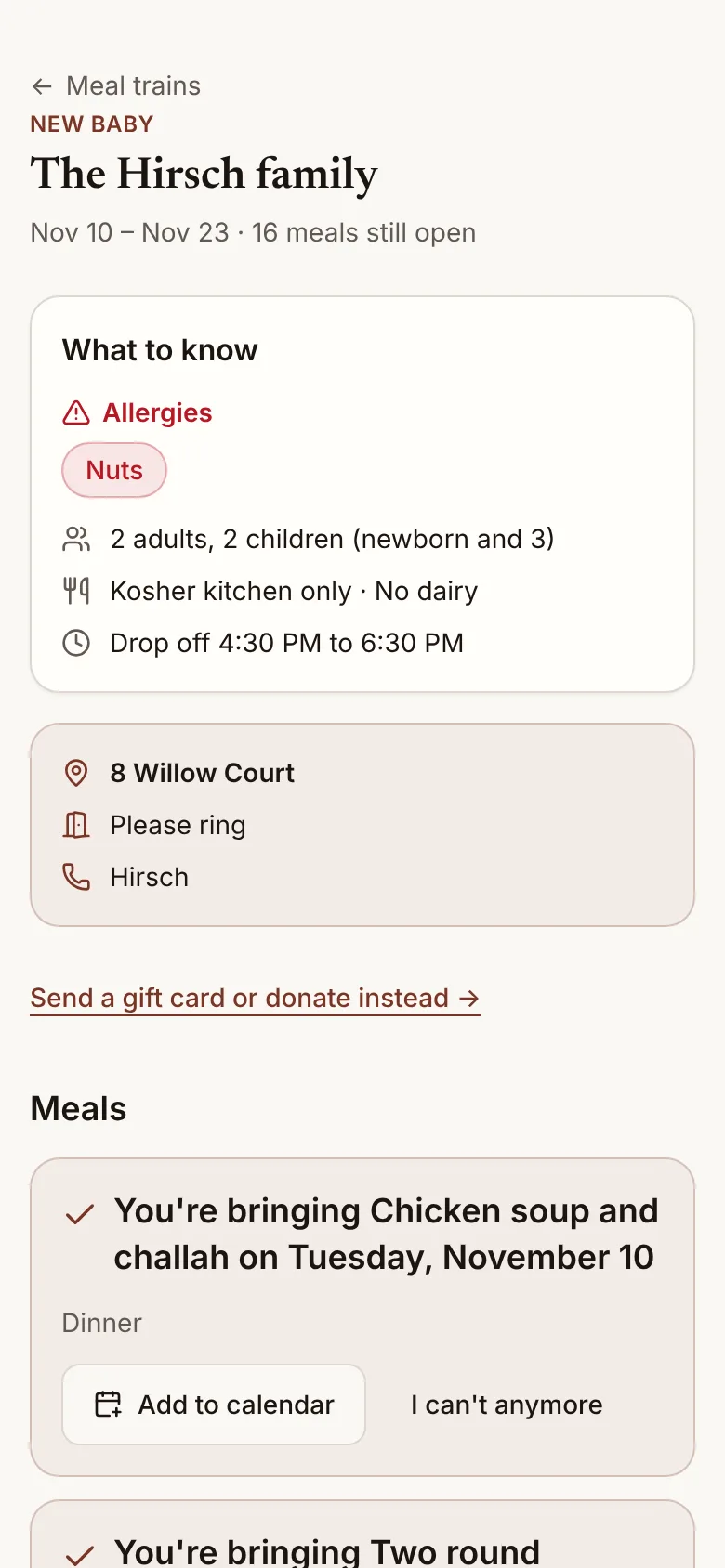
Members see what the family needs, the allergies in red, and take a lunch or dinner, or send a gift card or takeout instead.
Every empty day at a glance
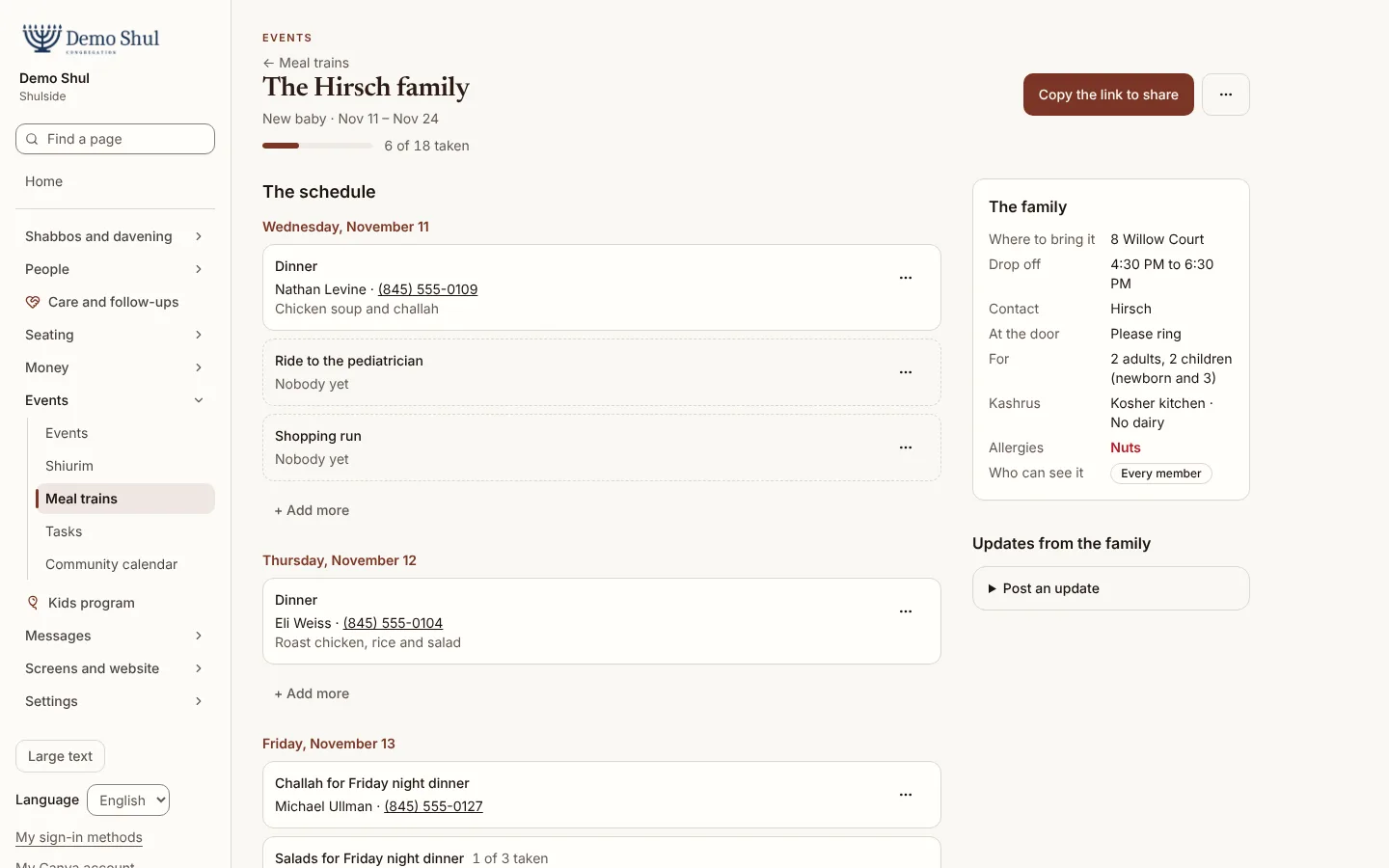
The organizer sees filled and empty meals by day, who is bringing what, and gets an alert when a meal two days away is still open.
A link for neighbors and family
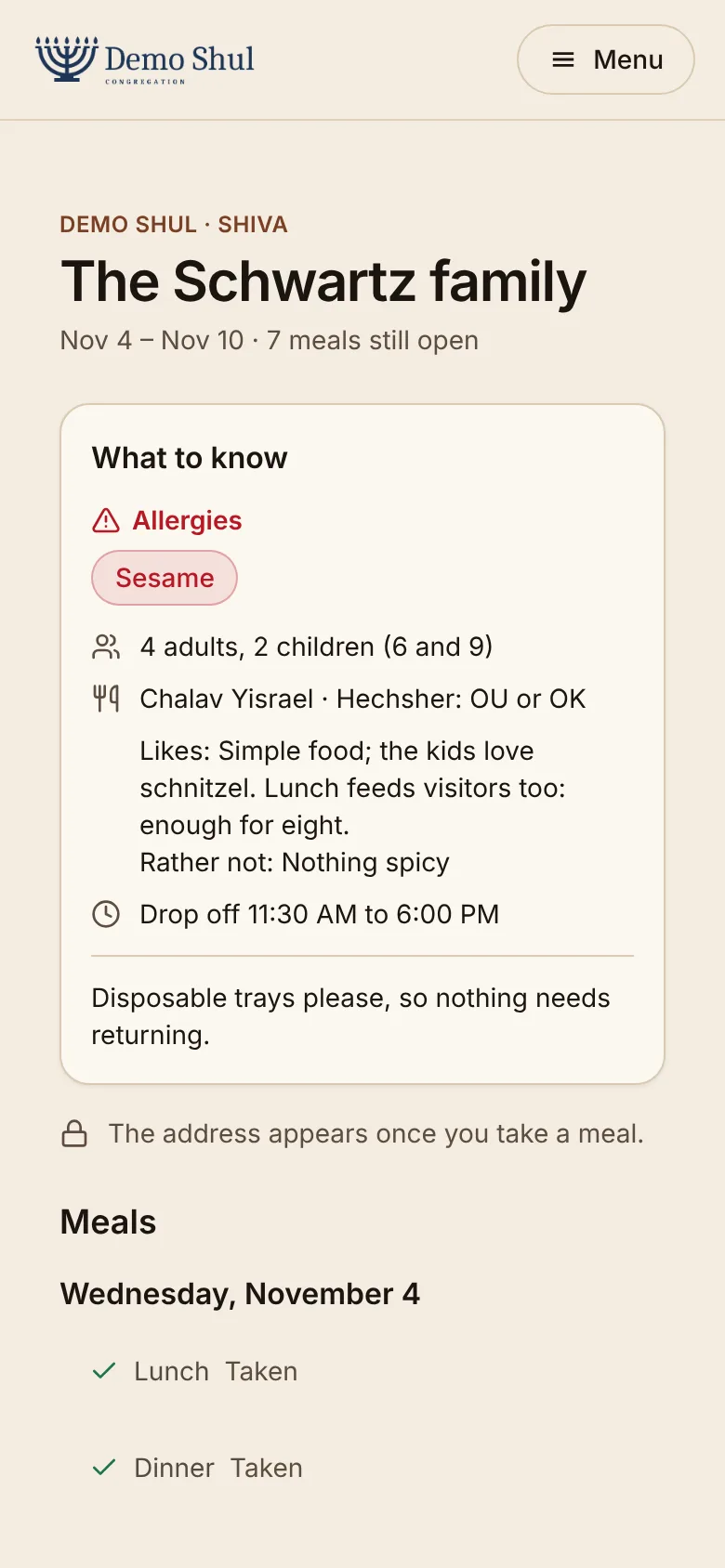
Friends who aren't members sign up from a WhatsApp link with a name and phone. No account, and no member's details on show.
Start from a ready-made train
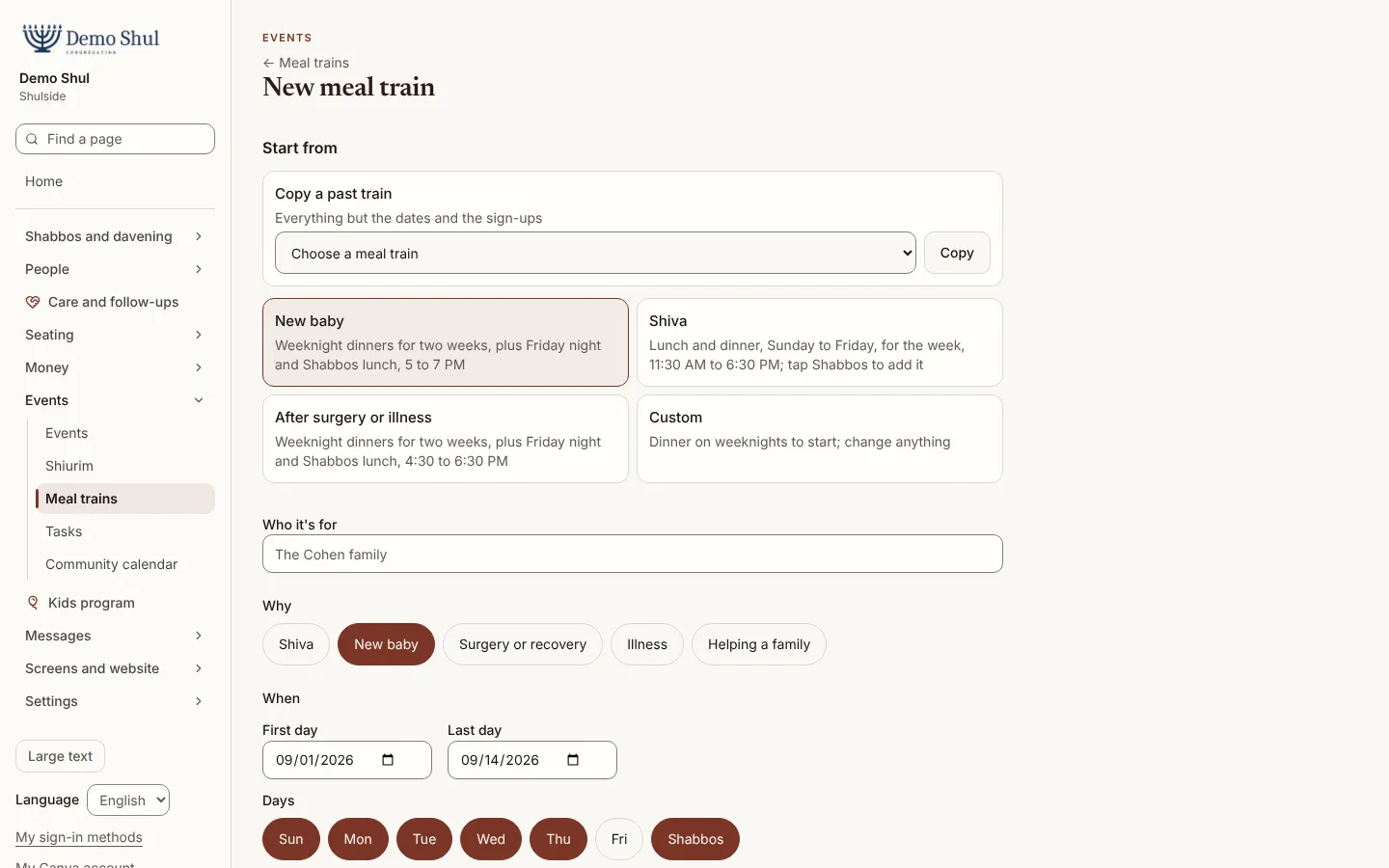
New baby, shiva or after surgery: pick one and the days, meals and drop-off times fill in, Shabbos meals included, split into dishes if you like.
How it works
Pick shiva, new baby, surgery or illness: the days and meals are filled in for you.
Share the link with the shul's members or a WhatsApp group.
Cooks get the address and reminders the day before and that morning; you see the calendar fill.
Questions shuls ask
Who can see the family's address?
Only the people who signed up for a meal, and the office. Never the website, the lobby screens or the Shabbos sheet.
Can the family keep it private?
Yes. A private meal train is seen only by people you send the link to.
Can people help in other ways?
Yes. Add rides, childcare or errands beside the meals, and a gift card or donations link.
Which plan has it?
Meal trains come with the top plan, and can be added to others.
More that works with it
- The shul app for members and familiesThe Shulside app gives every family their balance, this Shabbos's times, aliyah requests and minyan sign-ups, in English or Hebrew.
- Texts, WhatsApp and email to membersOne message goes out by email, text, WhatsApp or push, as each member prefers, never on Shabbos and never at 2 a.m.
- Minyan calls: know you'll have tenMembers tap "I'll come" for the minyanim that need them, everyone sees the count, and reminders go out when you're short.
See it on your own shul
Two short videos show the office and the members' side. Or book twenty minutes and we'll show it with your own sanctuary, families and davening times.