Everything your shul runs on, in one place
Grouped by what it does for you. Every part of Shulside shares the same members and families, so nothing is typed twice.
How it feels
Not more features: what it's like to use, day to day.
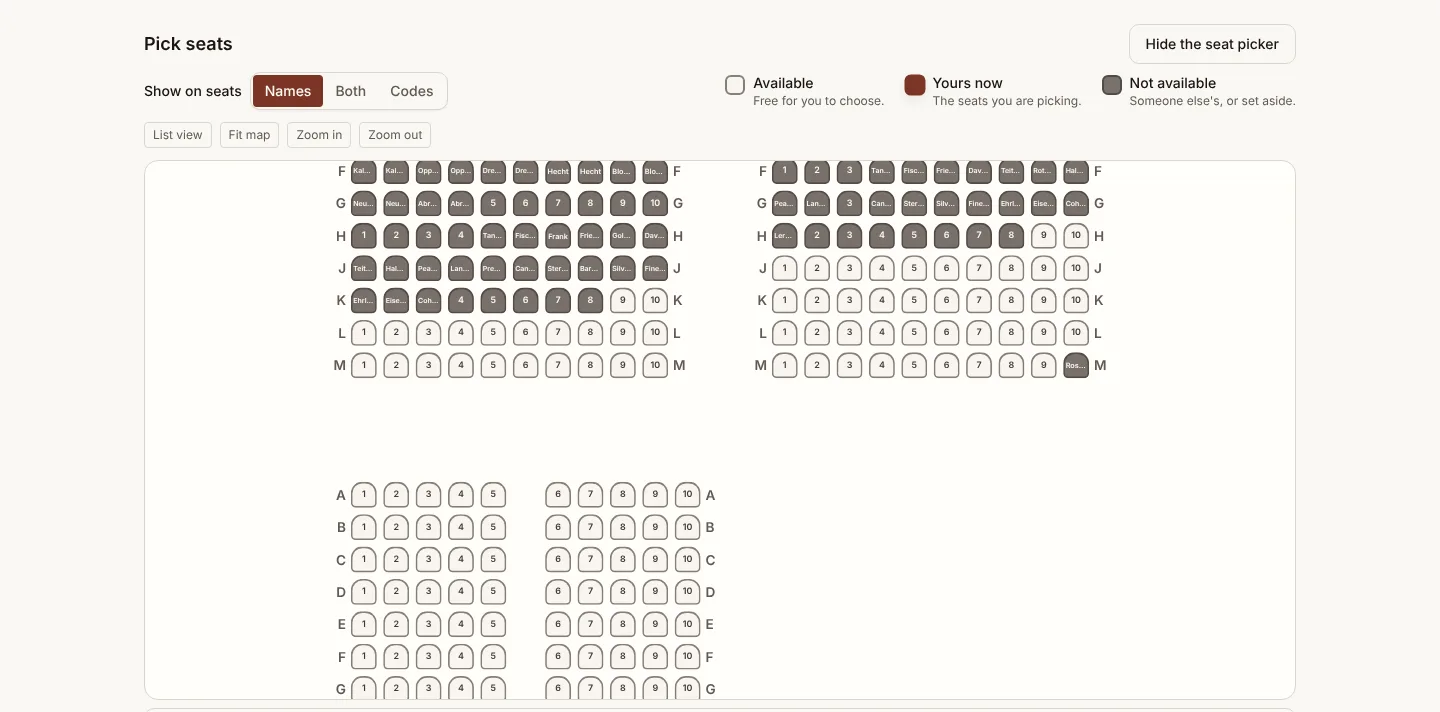
Modern and classy
Designed like the apps your members already use, not like office software from 2005.
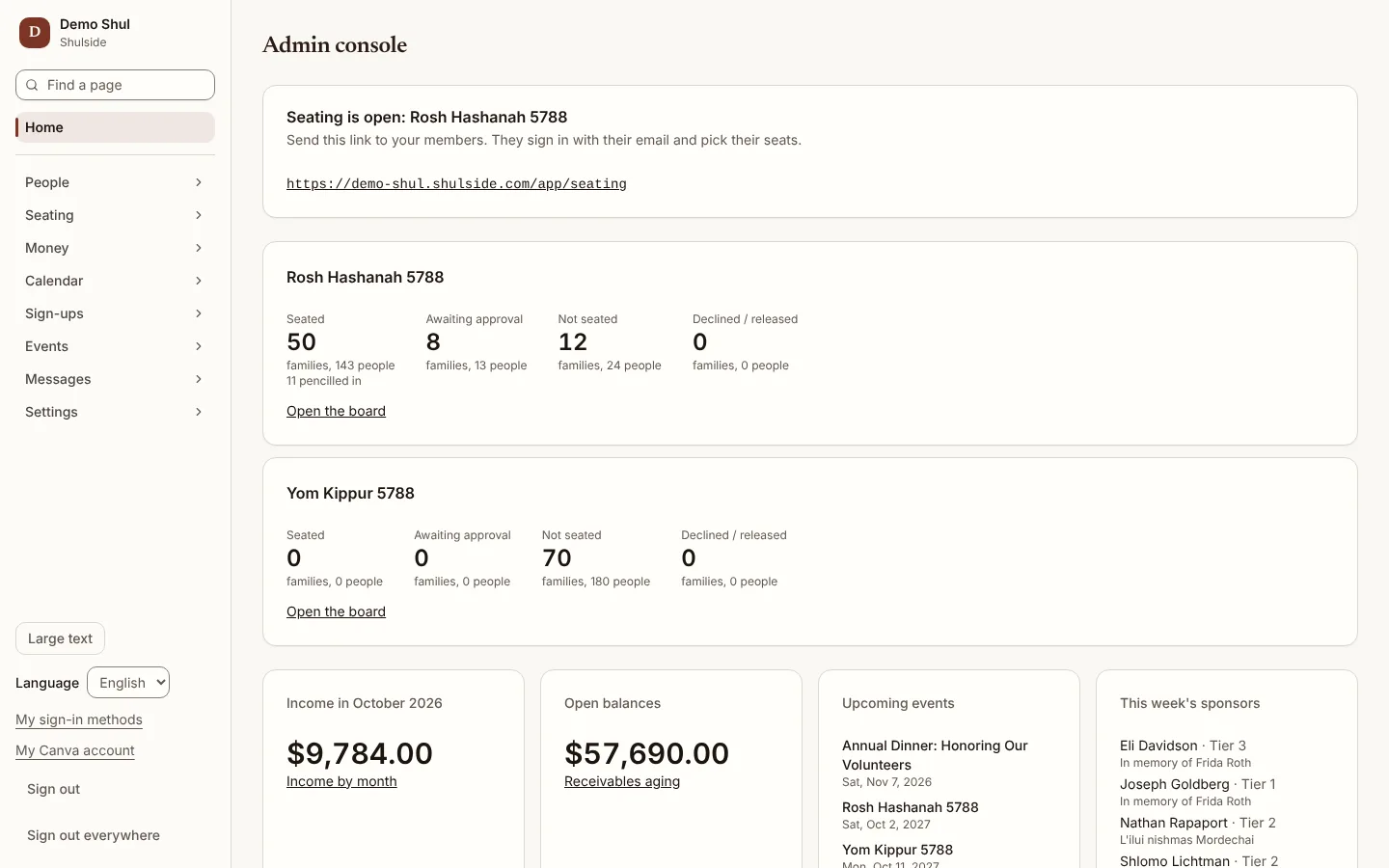
A simple flow
Every page has one clear next step, so a volunteer learns it in minutes.
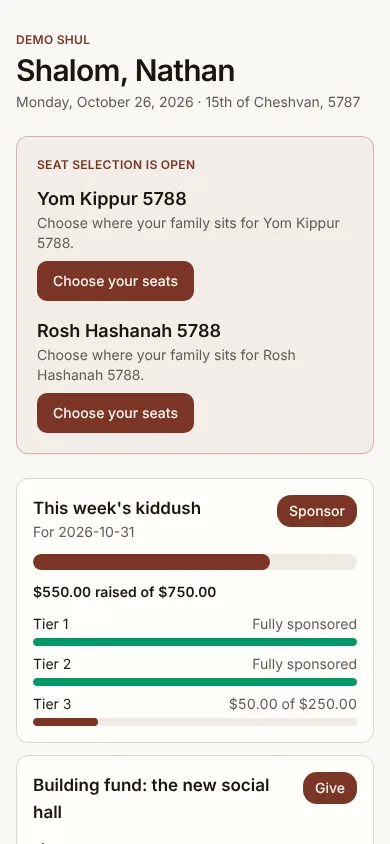
Phone-first
Members do everything from their phone, and a large-text setting is there for older members.
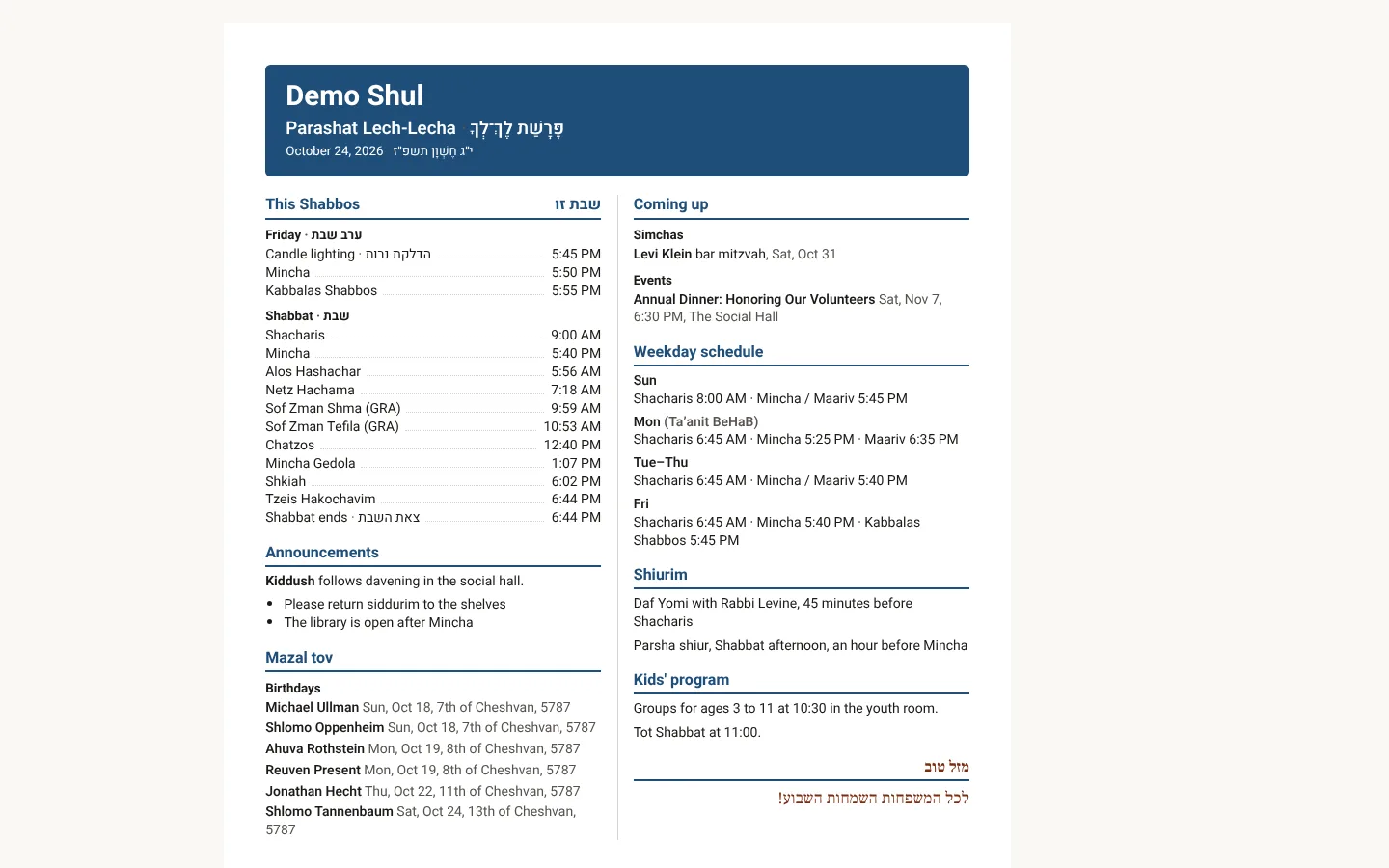
Built for Shabbos and Hebrew
Nothing goes out on Shabbos or Yom Tov, and the app works in Hebrew throughout.
Everything included
Every part of Shulside in a line each. Tap an area to see it.
Members and families
- Members and families, with Hebrew names and dates
- A member directory, where each family chooses what it shares
- A member page to see and pay what's owed, with every receipt
- An online seats-and-membership form for new families
- A phone app for ushers and the treasurer, included
- Care and follow-ups: private notes only the people you choose can read, and reminders
- Your own fields for anything you keep track of
- Staff roles: each volunteer sees only their part
- The whole app in Hebrew as well as English
- Two-step sign-in for the office, with Face ID or a code
Money and payments
- Online giving, with a link and a QR code
- Monthly giving and dues, charged automatically
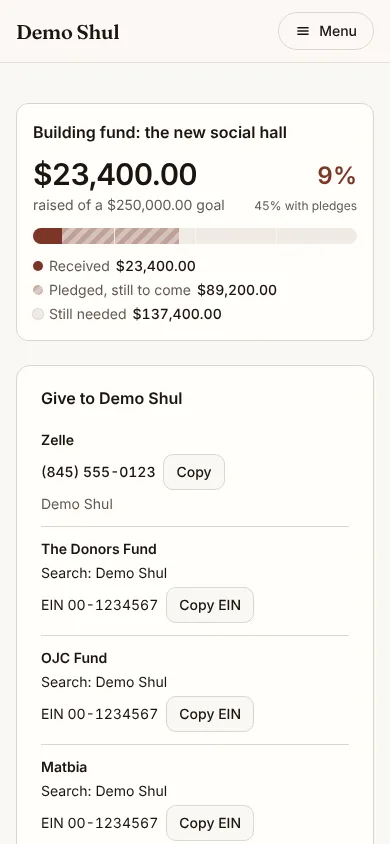
- Pledges and campaigns with a progress meter
- Zelle, bank, OJC, Donors Fund and Pledger payments matched to families
- After Shabbos, the week's kibbudim and nedarim on one sheet, charged in one go
- Building fund and campaign meters on the screens and the members' home page
- Cards, bank transfer (ACH) and PayPal
- Take a card in person with your phone, at the door or the kiddush
- Send a pay link by text or email: anyone pays in a tap, no account needed
- Payment plans: a balance paid weekly or monthly from a saved card, stopping by itself when it's paid
- Card and bank payments: Stripe's standard rate plus 0.25% to Shulside. Donors can choose to cover the fee.
- Bank deposits, and a stack of checks entered at once
- Expenses, kept next to income
- Year-end tax statements for every family
Seating
- Members pick their own High Holiday seats, like booking a flight
- Priority windows: seat holders choose first, and last year's seats wait for them
- One person chooses seats for the whole family
- Members can see who sits nearby, if the shul turns it on
- AI drafts your seat map from a photo of your chart
- Printed seat cards and the chart to hang up
Shabbos and davening
- The Shabbos sheet builds itself every week
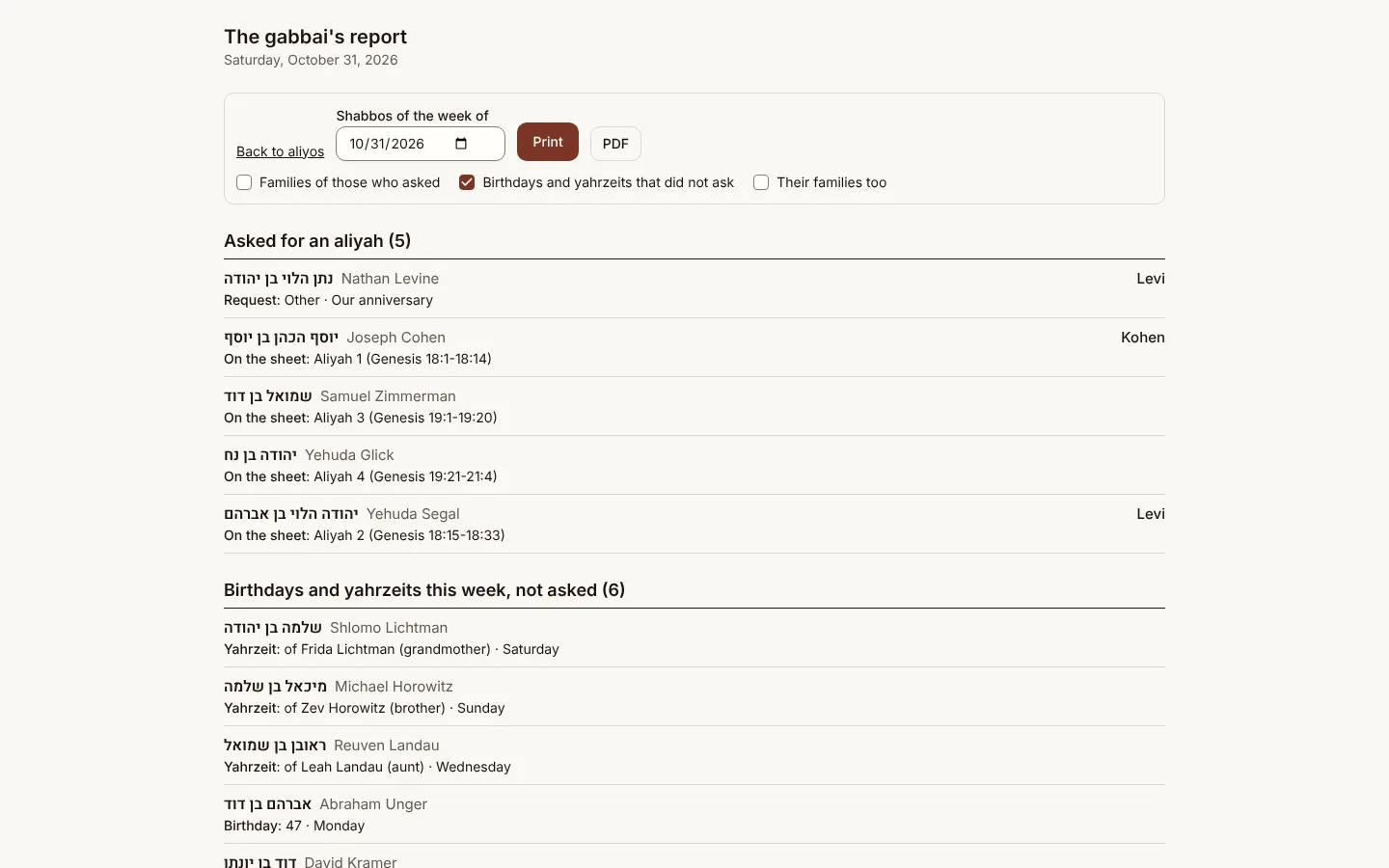
- Aliyah requests, aliyah history and suggestions, and the gabbai's Friday report
- Minyan sign-ups, a call when you're short, and an alert if it's off
- The kibbudim auction: the honors list before, the sheet on the day, the bills after
- The Hebrew calendar, zmanim and davening times
- Yahrzeit reminders to families, sent automatically by the Hebrew date
- Kiddush and other sponsorships, sponsored online
- Shiurim: the schedule, reminders to those who come, and the online link
- A live kiddush meter, up to a fully sponsored kiddush, on the site, screens and sheet
- Sponsorship banners on the screens, the sheet and the website
Events
- Events with tickets and online payment
- Dinner tables and seats, from who bought what
- Volunteers and tasks: lists for events and meetings, a sign-up link, reminders and Mark done
- Events that remember: last year's menu, tasks and notes come forward to this year
- Each event's budget against what it really cost, and the events report
- Meal trains for shiva, a new baby or surgery
- Mishloach manos for Purim: families order online, you print the cards
Messages
Website and lobby screens
Reports and accounting
New this season
What's new, as it really looks
Real pages from Shulside's demo shul. Tap one to see more.
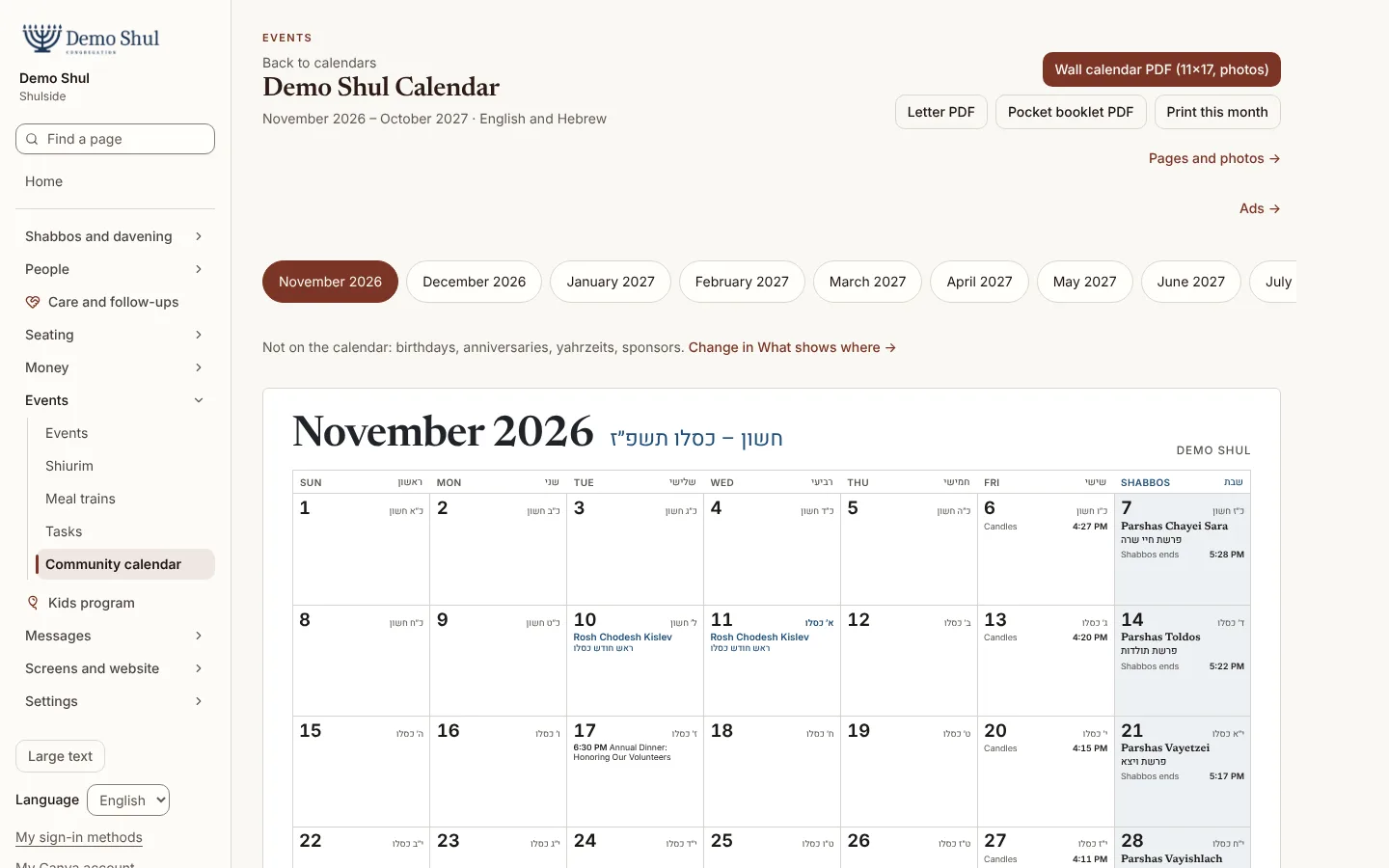
- Community calendarA wall calendar and booklet, made from your own dates and events.
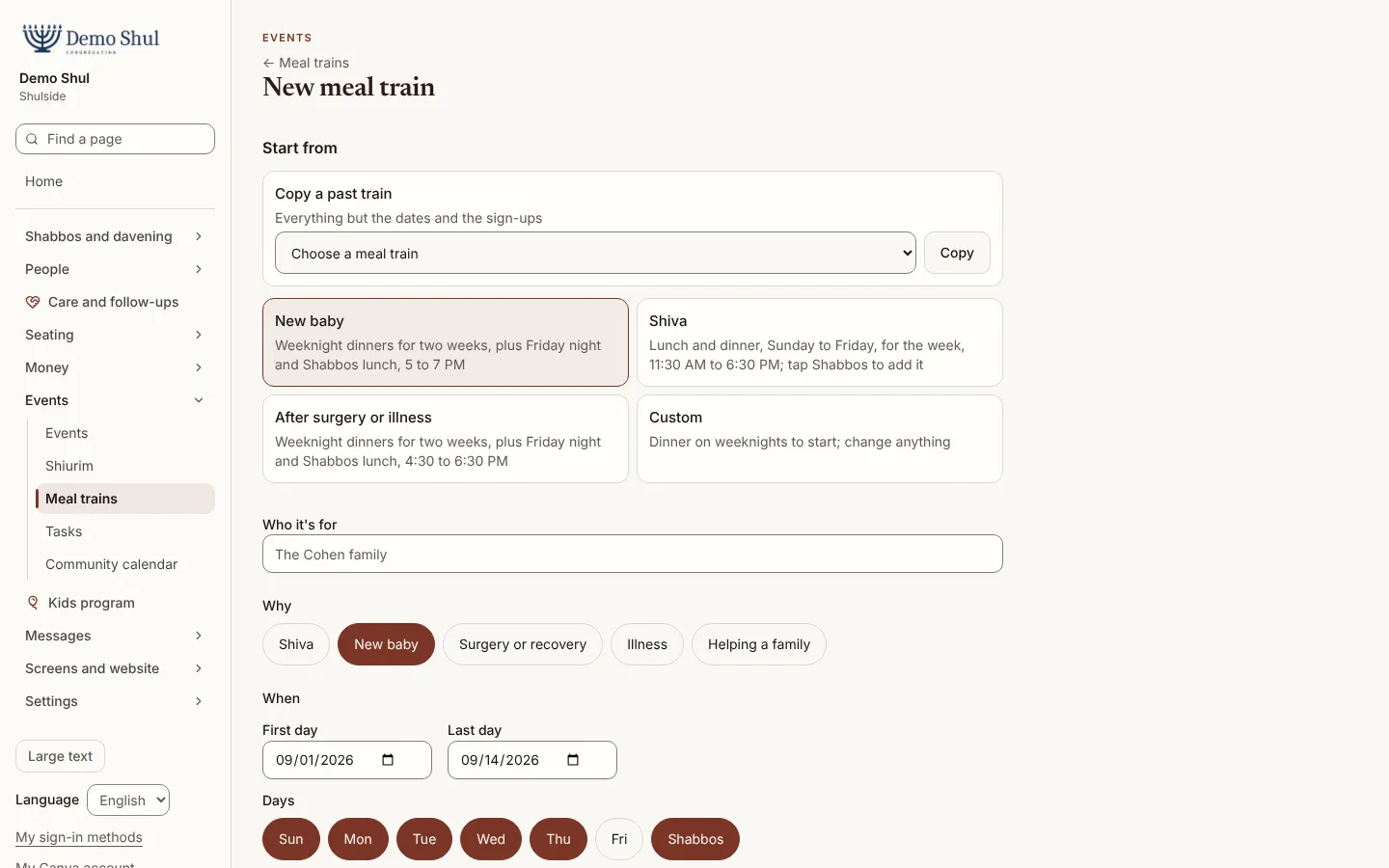
- Meal trains with ShabbosStart from New baby or Shiva; Shabbos meals split into dishes.
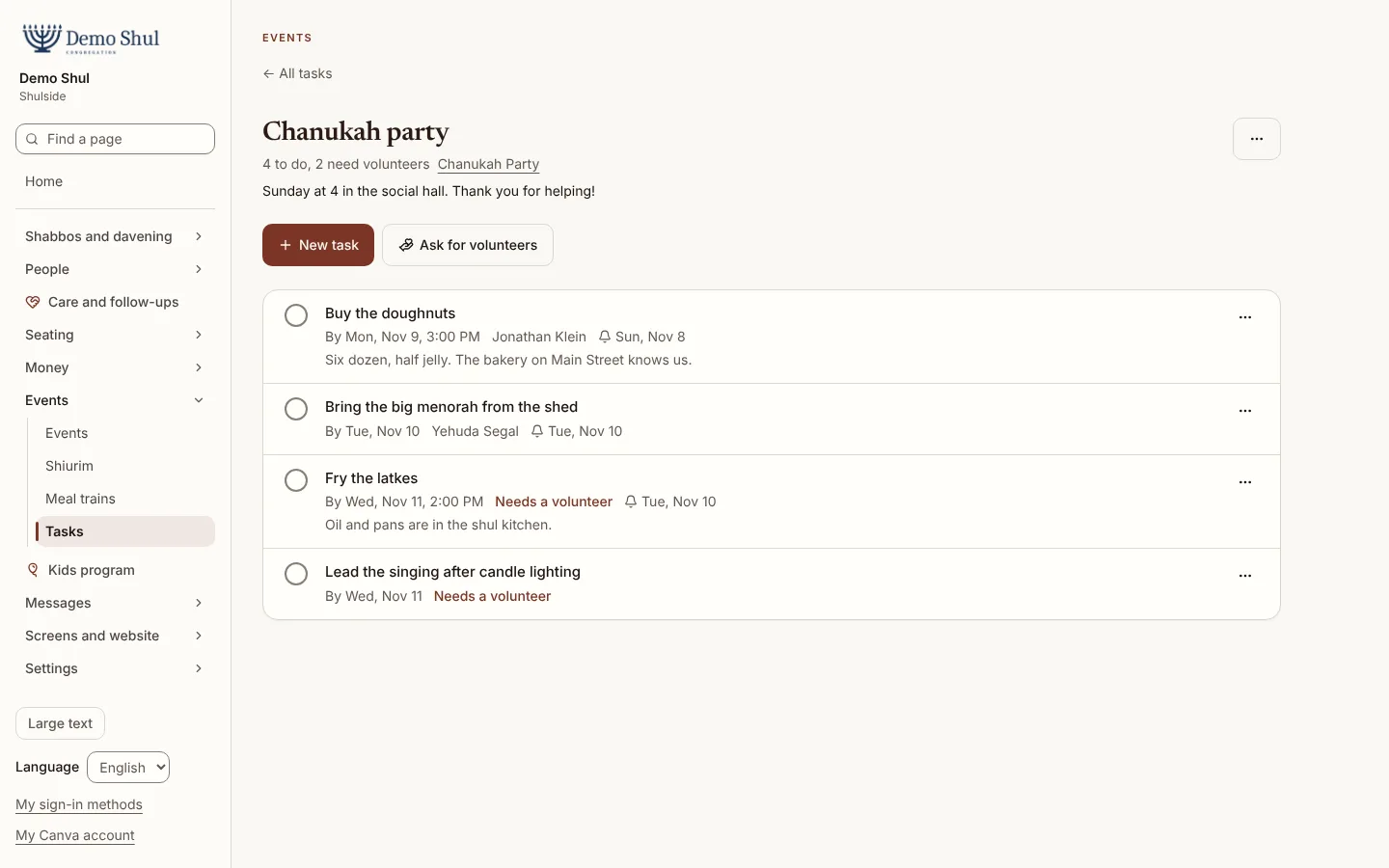
- Volunteers and tasksLists for events and meetings, and a link to sign up.
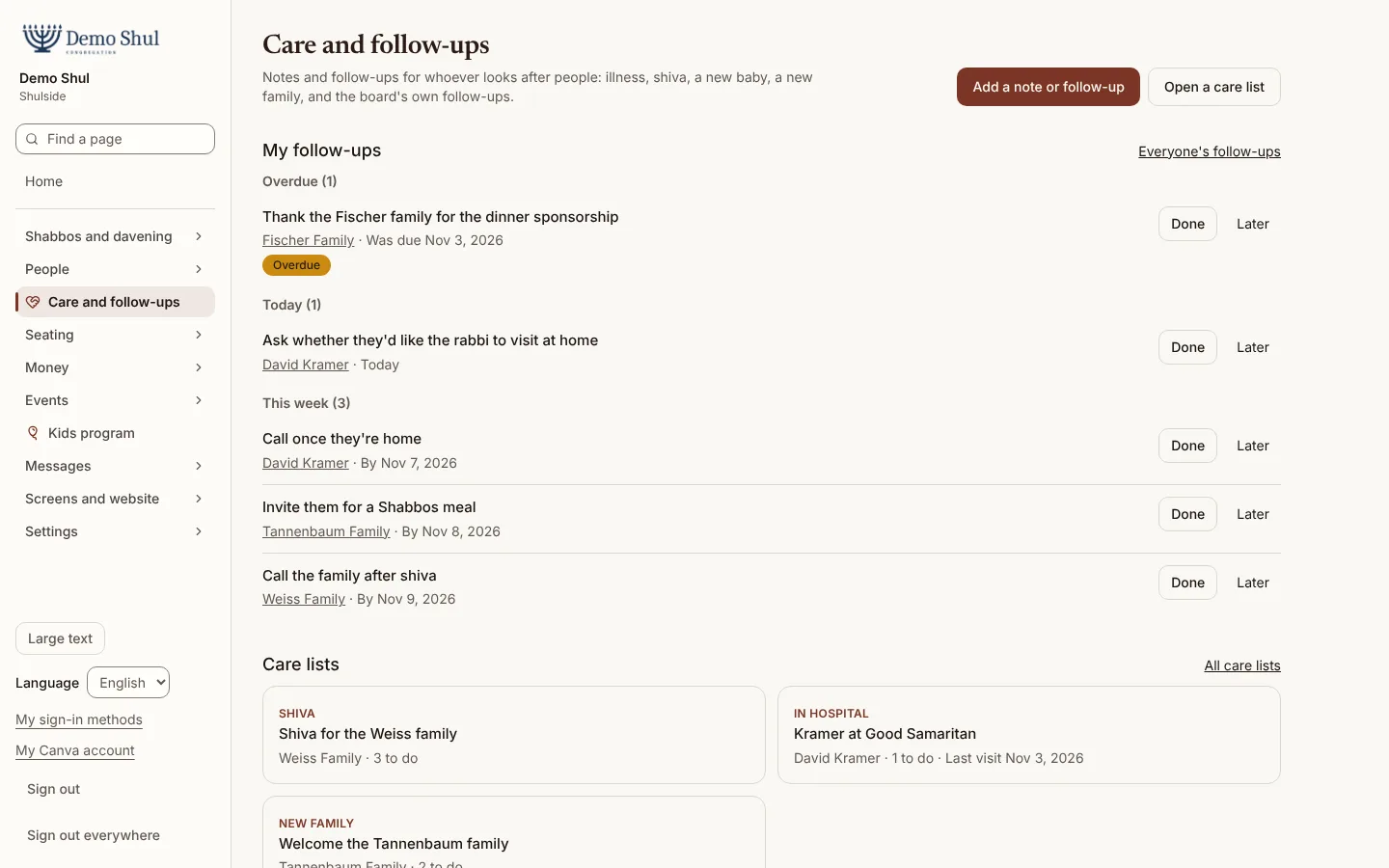
- Care and follow-upsShiva houses, hospital stays and new families, with private notes.
- Payment plansA balance paid weekly or monthly by card, stopping when it's paid.
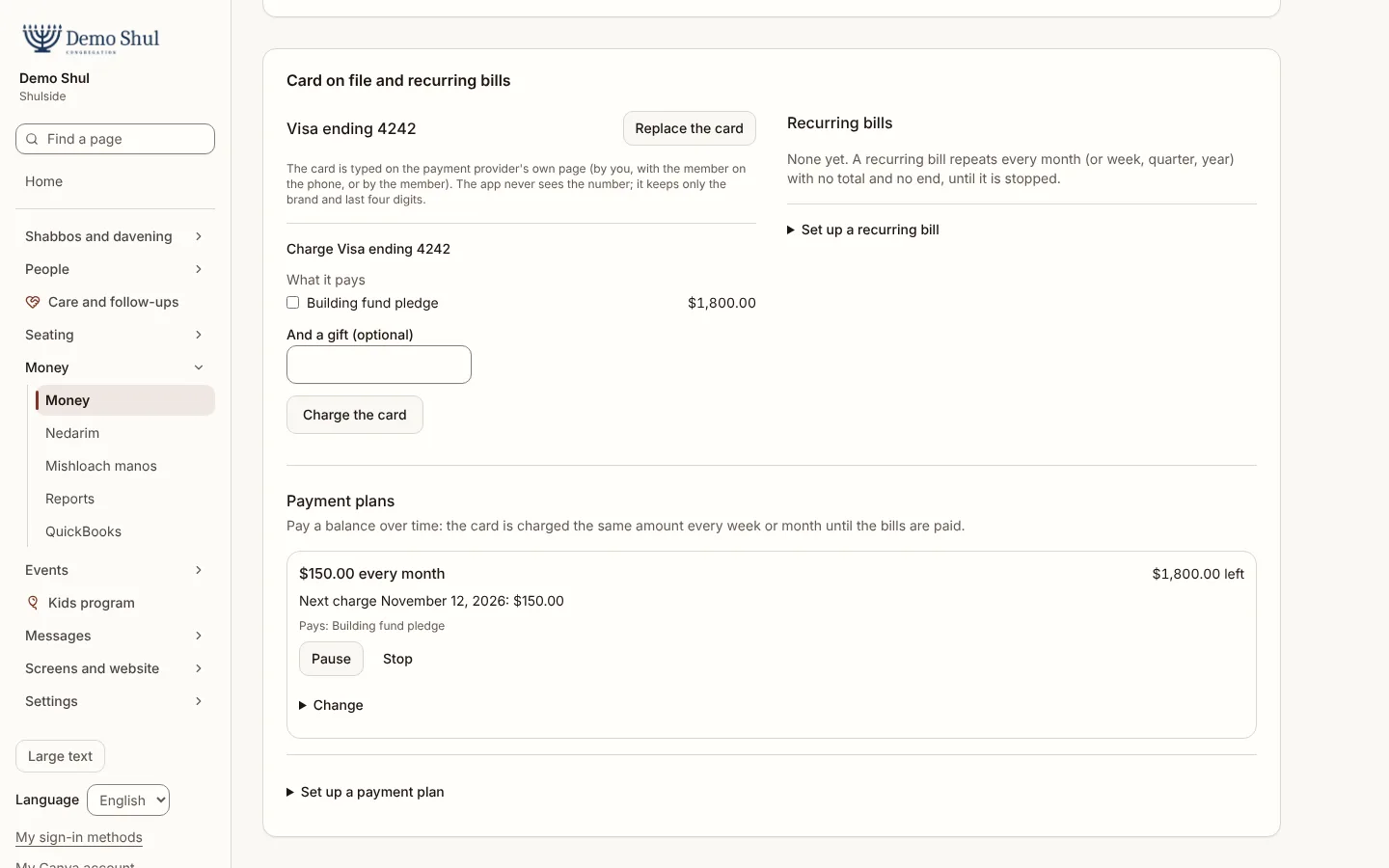
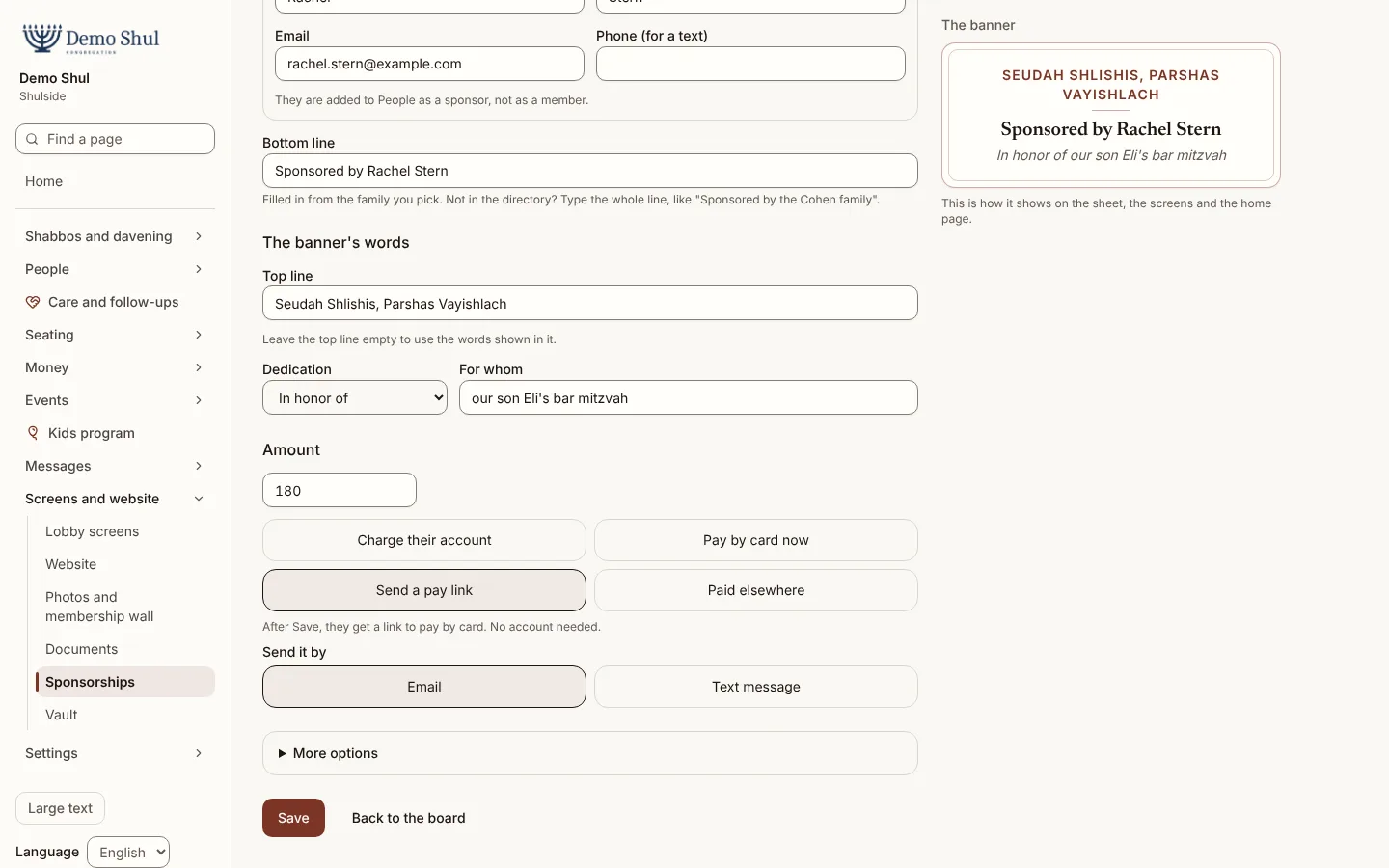
- Take the paymentA sponsorship paid by card now, or a pay link by email.
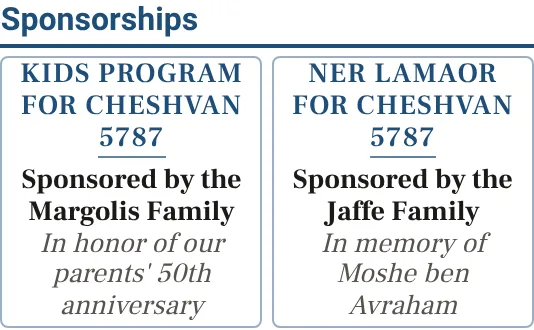
- Sponsor boxes on the sheetEach week's sponsors, printed in boxes of their own.
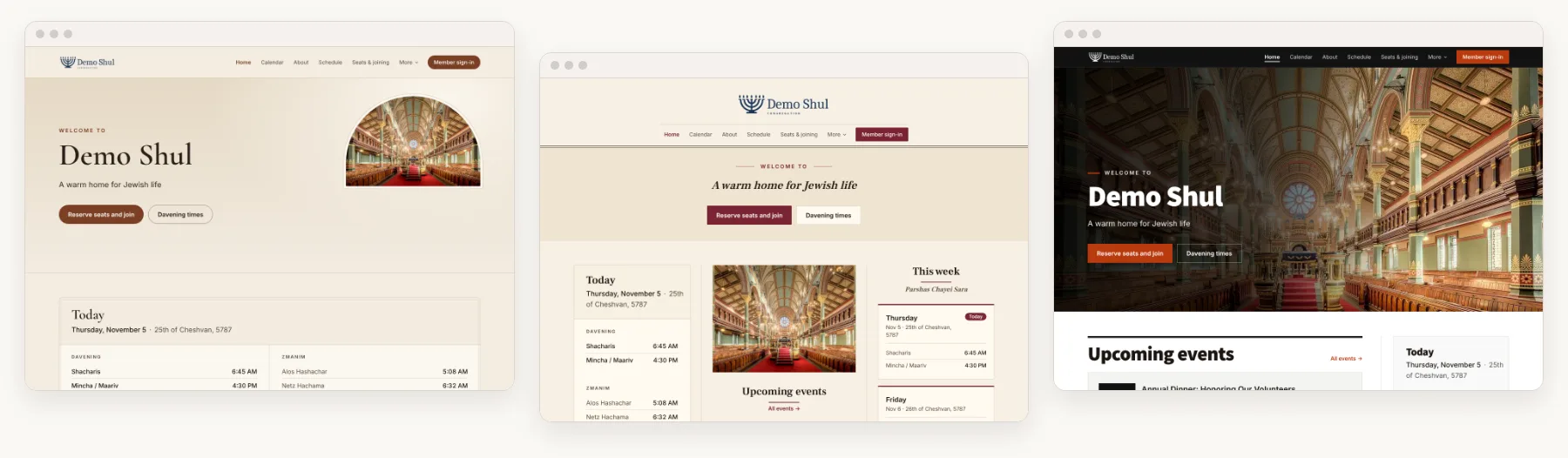
- Website themesReady-made looks for your shul's website. Switch any time.
Seating
Seating for the High Holidays, and every event
Stop spending Elul figuring out who sits where. Members choose their own seats on a map of your sanctuary, or the office places them, in the order your rules allow.
Not only for the High Holidays
Some shuls only need it for Rosh Hashanah and Yom Kippur. It works just as well for a dinner, a Shabbaton, kiddush and simcha tables, or any event with seats, and for a dinner the system seats every table for you.
- Priority windows. Board and founding members first, then full members, then everyone. Each window opens on its own date and time.
- Makom kavuah. A family's seats from last year are held for them until your renewal deadline, then released to the next window.
- Families together. A household chooses its seats as one, up to the number it paid for, side by side.
- The gabbai decides when it matters. Choose which requests wait for approval. Everything else is booked the moment a member taps it.
- Privacy you choose. Members see only open and taken seats, or who sits nearby, as your shul prefers.
- Ready for the door. A chart to hang that fits on one sheet, seat cards, and a find-your-seat list that an usher can read at arm's length.
Shabbos and davening
Shabbos runs smoothly
Everyone can see there will be a minyan, the aliyos are settled before Friday, and the weekly sheet is made for you. The gabbai gets their time back.
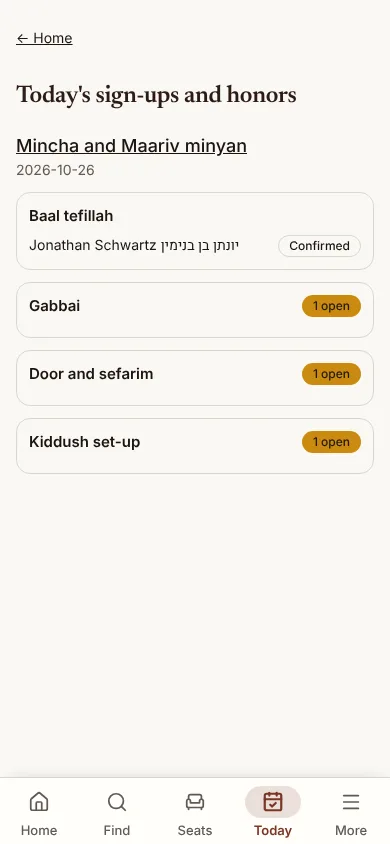
- Minyan sign-ups: everyone sees who's coming and how many, a reminder goes out before davening, and the gabbai hears at once when someone cancels. Mincha and Maariv can each have their own time.
- The aliyos form: members ask for an aliyah, or choose which minyan they'll daven at. Aliyos can be held for the rabbi, the president or anyone you choose.
- The gabbai's Friday report as a PDF, with Hebrew call-up names: who asked, Kohen and Levi, and the week's yahrzeits and birthdays.
- The weekly Shabbos sheet, made for you: zmanim, davening times, simchas and yahrzeits filled in, with a "Scan to donate" code. Check it and print.
- The kiddush sponsor and their occasion appear by themselves on the sheet, the screens and the website.
- The kibbudim auction: sealed bids ahead of time for those who are away, partners on one kibbud, and the winners billed automatically.
Giving and payments
Raise more, chase less
Kiddush sponsorships fill up, pledges get paid, and reminders go out without anyone making an awkward phone call.
- Kiddush tiers with a meter, and one tap to sponsor or add to this week's kiddush.
- Campaign meters, like the building fund, on the members' home page, the lobby screen and your website.
- Sponsorships and dedications for a day, a week, a month, a year, an event or the building, shown as banners on the screens, the members' home page, the weekly sheet and your website. Members sponsor and pay online.
- Pledges paid in installments; a gift goes to an open pledge first.
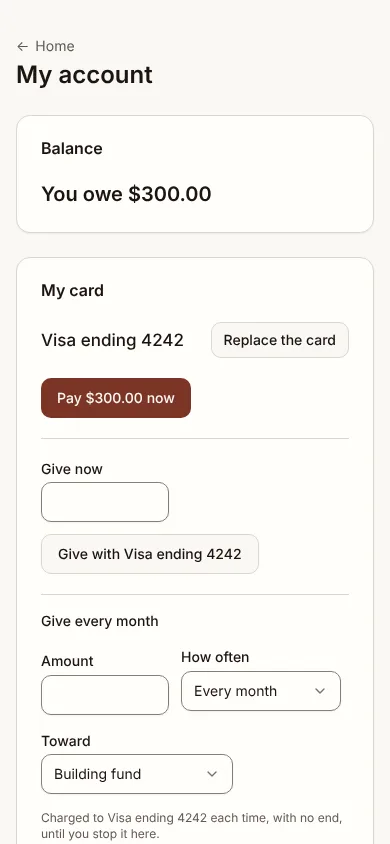
- Dues on autopay with the card on file.
- Payment reminders that send themselves, checked by you before they go, with a quiet switch to leave a family out.
- One pay page: open bills, a kiddush, a sponsorship or a campaign, all in a single payment.
- A giving QR code for the lobby, the sheet or a flyer.
- Each family's account in one place: record a payment or post a charge from the same page, and credit is applied only when you choose.
- Post a charge by picking what it's for (a campaign, a kibbud, a kiddush or dues), and mark it paid on the spot.
- Card payments with the card on file or a new card, and a note on any charge or payment, for the office or printed on the statement.
- A classic statement with your logo and the family's balance. Once your tax ID is in, every receipt and statement carries it with the IRS wording.
- Set tax-deductible status by donation category and generate year-end receipts. Members open their receipts from a secure link, with no account needed.
- QuickBooks sync for the treasurer.
Yahrzeits and simchas
Never miss a yahrzeit or a simcha
The Hebrew calendar does the remembering. Families hear from the shul before a yahrzeit or a birthday, and the gabbai and the rabbi see the week ahead.
- Yahrzeit reminders to the family ahead of time, with a link to ask for an aliyah or sponsor a kiddush.
- Life-cycle outreach: yahrzeits, Hebrew birthdays and bar mitzvahs, each message with a link to act on it.
- This week's yahrzeits on the sheet, the lobby screen and the gabbai's list.
- Zmanim for your shul's location, and the Shabbos and Yom Tov times everywhere they appear.
- Bring in yahrzeits and birthdays from your spreadsheet in one go.
For members
Members feel looked after
Every family has its own page: their seats, their family, what they owe and what they've given. Nobody needs to call the office to find out.
- Their balance, statements and receipts, and paying takes a minute.
- Their seats, their family and their yahrzeits in one place.
- Ask for an aliyah, sign up for the minyan or sponsor a kiddush from the phone.
- They see where this week's kiddush and each campaign stand.
- Any phone, large text if they like, nothing to install.
Events
Events, from the first ticket to the door
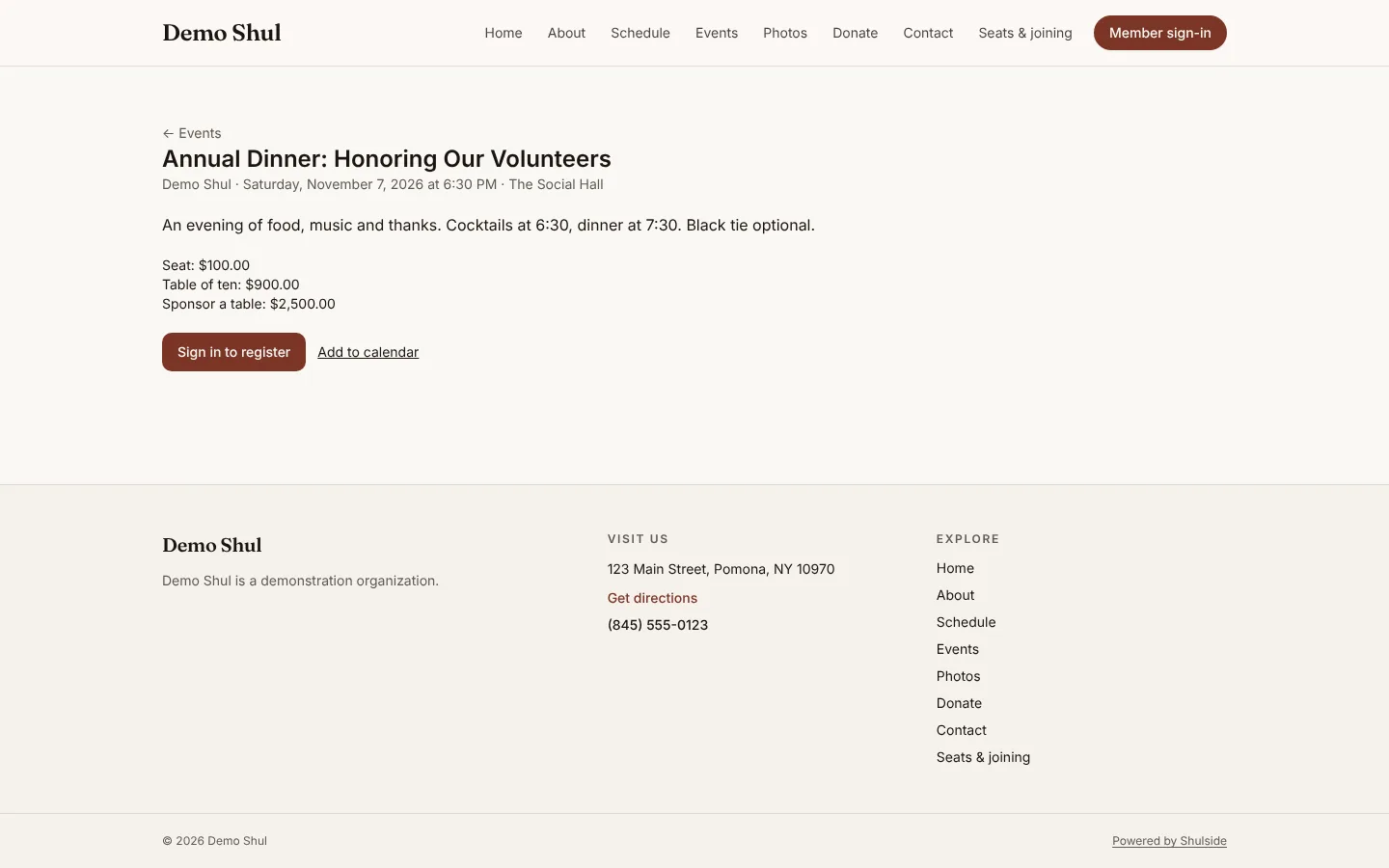
The dinner, the shiur series, the Chanukah party: registration, tickets and sponsors online, tables and seats assigned, and a quick check-in at the door.
- Registration and tickets paid online, with sponsor levels and dedications.
- Tables and seats for the dinner: the system seats the table purchases for you, and you move anyone by hand.
- Check-in at the door from a phone, with the usher app, even when the wifi drops.
- Budget lines with actuals that become expenses, and notes for next time.
- Each event shows what the shul made or lost, beside last time, and a report lists every event's income, expenses and net.
- Copy the event to next year, and the Hebrew date moves with it.
- Mishloach manos for Purim: families order online, and you print a card for every family, the packing list and the routes.
Screens in shul
Your shul's screens, set up in minutes
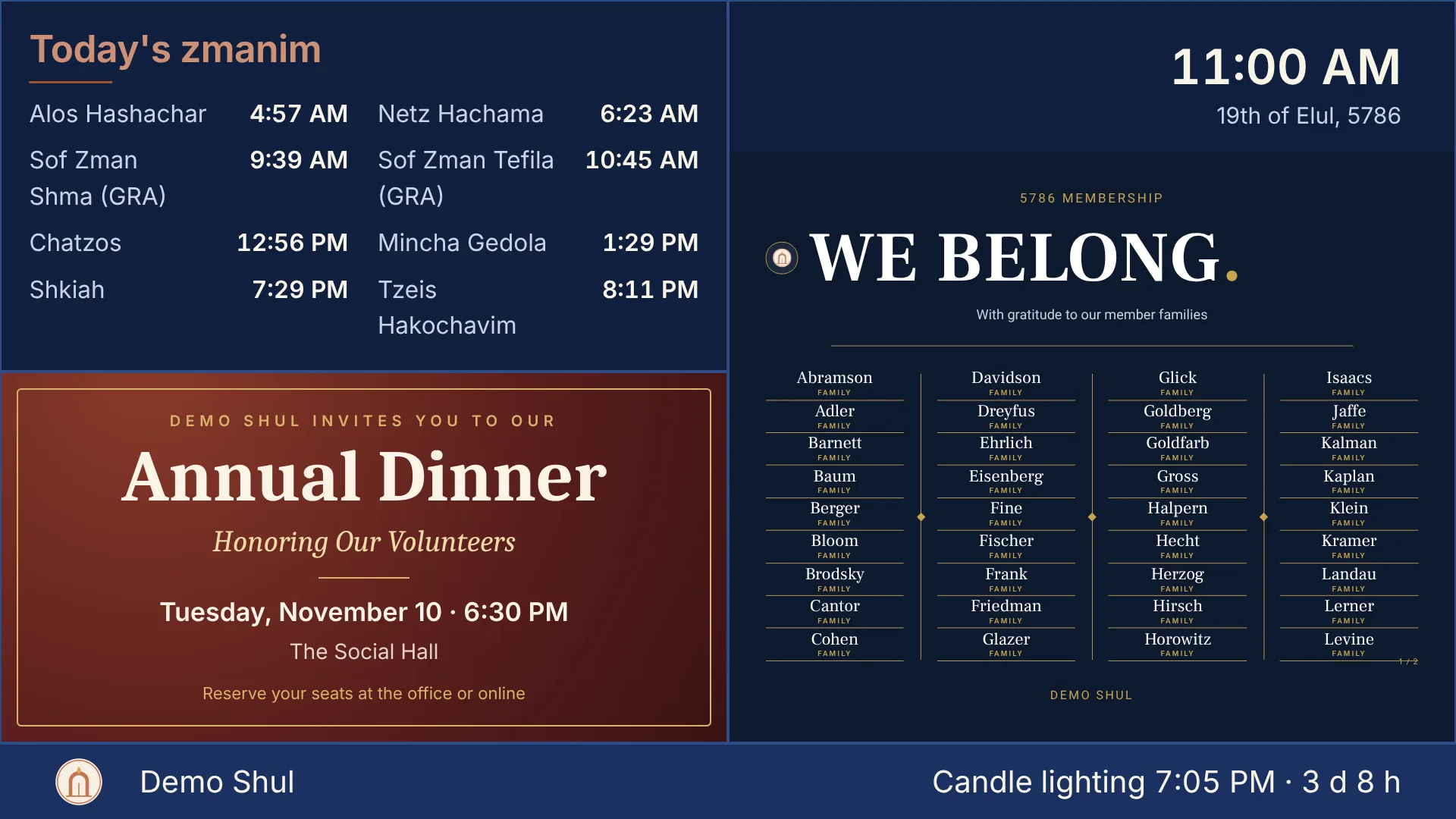
Any TV with a browser, or a small streaming stick, pairs with a code. Zmanim, the week's times, announcements, simchas, yahrzeits and the weekly flyer show by themselves, in your shul's look.
- Any TV with a browser, or a small streaming stick like a Fire TV or Chromecast, pairs with a code.
- About 30 modern slide kinds: zmanim, the week's times, daf yomi, countdowns, donation meters, the membership wall, sponsors, yahrzeits and a table finder.
- Ready-made shul layouts, and the weekly flyer swaps itself every week.
- The "We Belong" membership wall, on the screens and printed as a poster.
- On Shabbos and Yom Tov the screen switches to a quiet display: frozen, or one fixed slide, your choice.
- See what each screen is showing right now, from the office, on the Live tab.
- Having trouble keeping your screens updated? We set them up with you, and they update themselves from your calendar.
Easy and modern
Easy enough for the whole office
It works on the phone in your pocket. Search finds anyone as you type, messages go out by email, text, WhatsApp or app notification, and the routine work happens by itself.
- An admin app on the phone for the gabbai, the ushers and the treasurer.
- Staff roles for the treasurer, the gabbai, the rabbi and the ushers, each seeing what they need, and extra permissions for one person when needed.
- Search as you type: a family, a page, a payment.
- Email, text, WhatsApp and app notifications, with consent kept and Shabbos and Yom Tov quiet hours built in.
- Automations for the Friday list, reminders and outreach, each switched on with a toggle.
- Your shul's own website at yourshul.shulside.com, or on your own domain: pages, zmanim, events, the gallery, a donate page and the meter.
- Switching? Bring your families from ShulCloud, with the columns matched for you, and your money history (open balances, pledges and payments) from ShulCloud or QuickBooks. An import never sends anything to your members. Excel or CSV works too, or send us your spreadsheet and we bring it in for you.
- The vault, for the papers you choose to protect: a sign-in check, who may open each folder, a log of every open and download, old versions kept, and a 30-day trash.
- Every file your shul uploads is copied to a backup every night.
- Folders for all your documents, and a 30-day trash for anything deleted.
- Design the flyer in Canva with the shul's own details.
Davening the kids look forward to
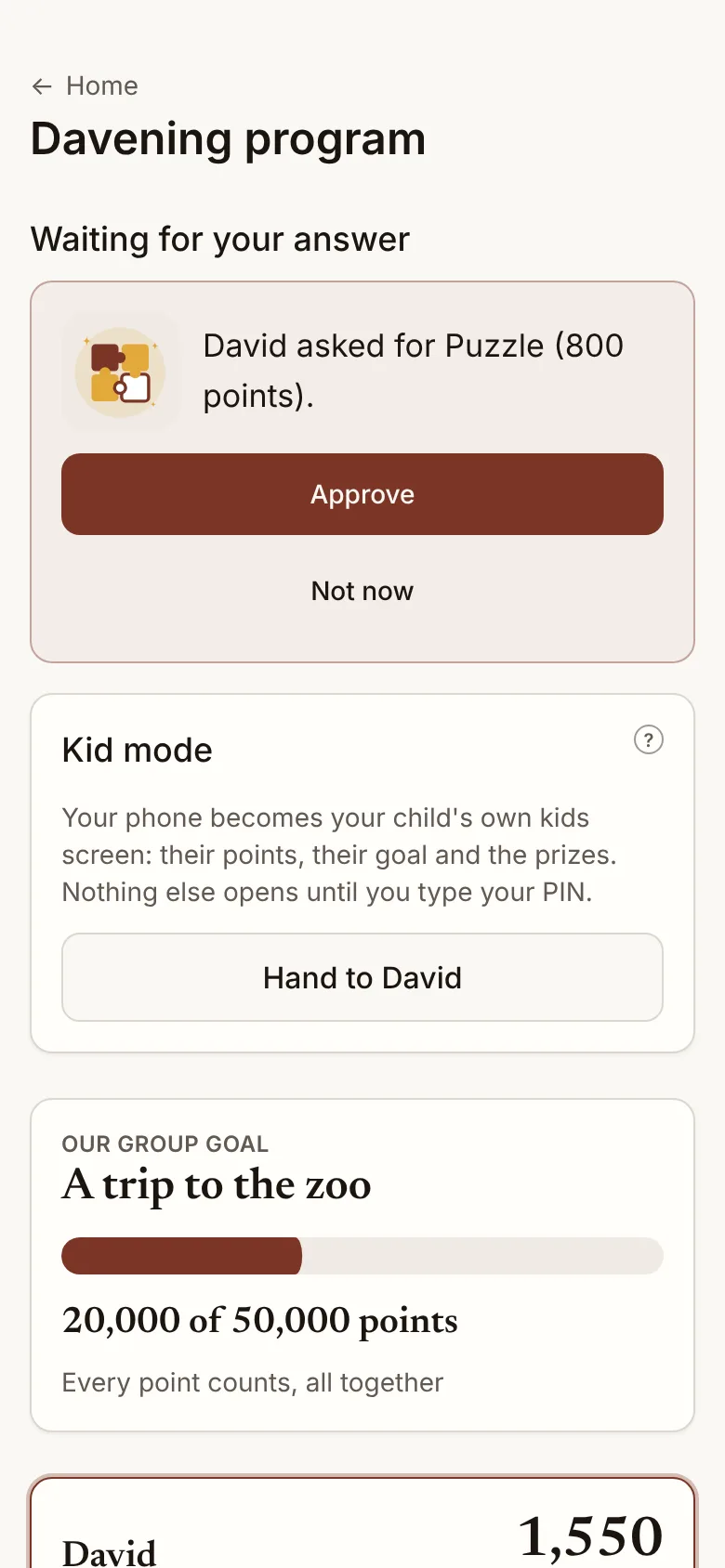
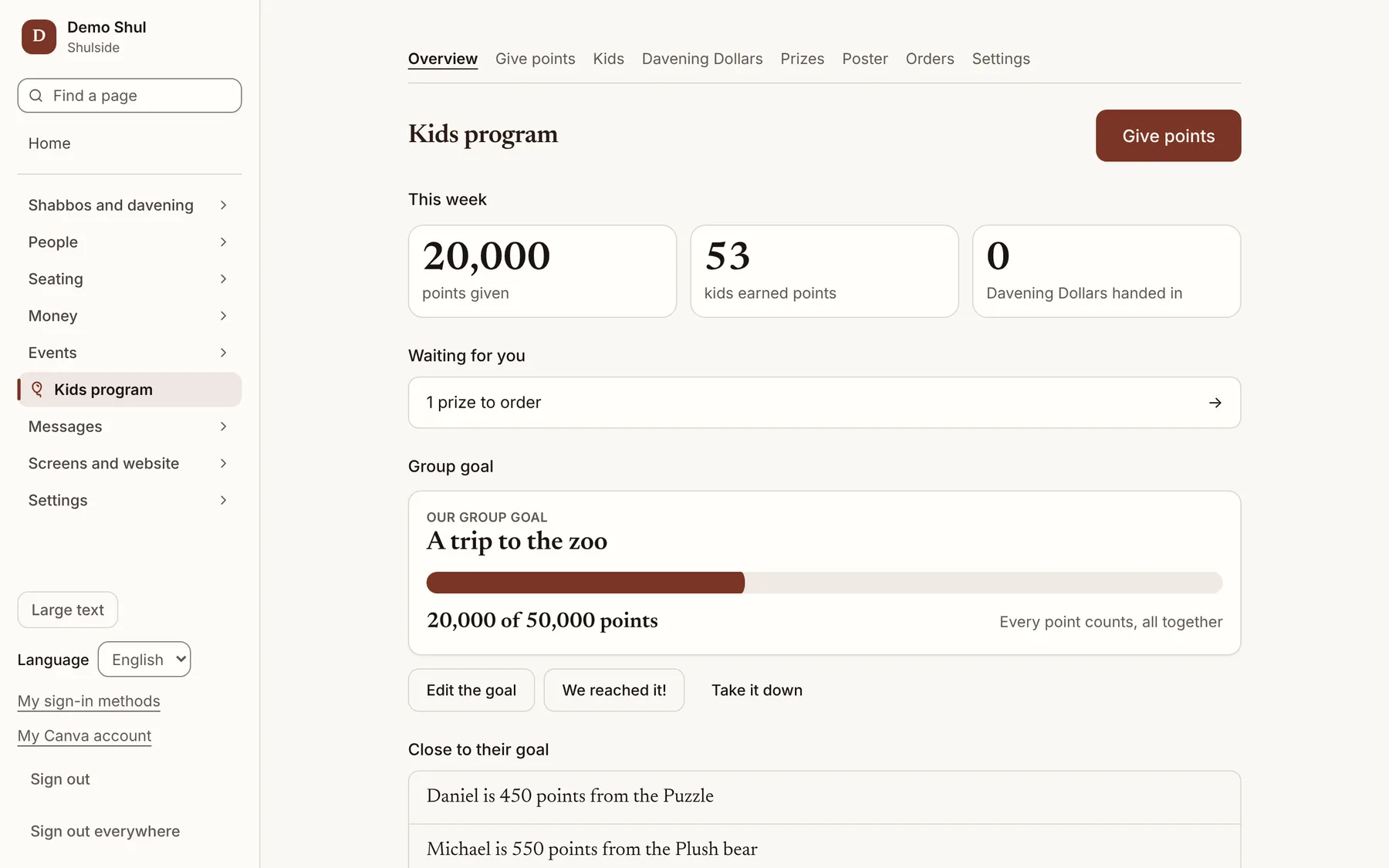
Children earn points for davening and trade them for prizes they choose. The director runs it from a phone, parents follow along, and the shul turns it on when it's ready.
For kids
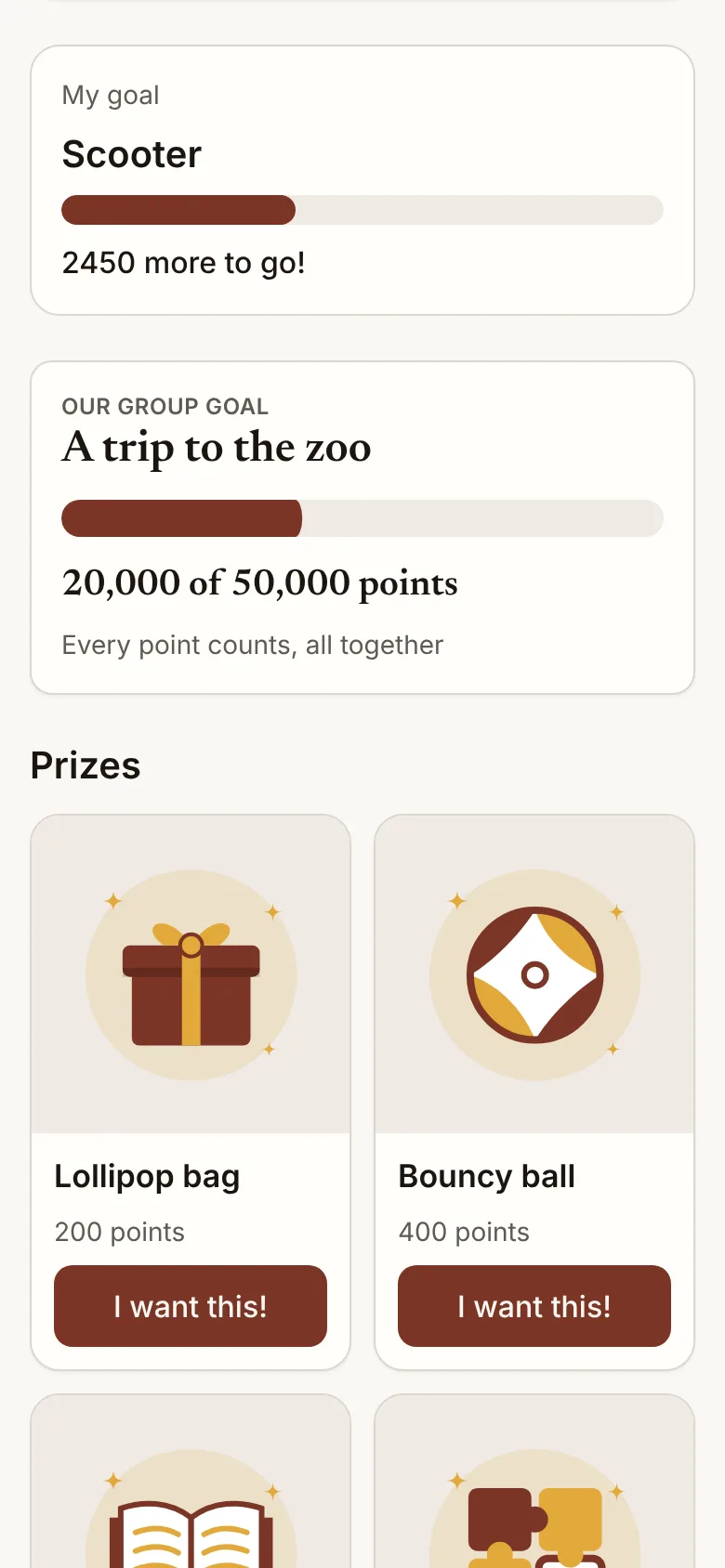
Points for davening, a catalog of prizes to save up for, and a goal of their own with a bar that fills up.
For parents
Their children's points, prize requests and goals in the members' app, and a message when a prize is ready.
For the director
Give points from a phone, with undo, and run the prizes, orders and printing from one place.
Davening Dollars
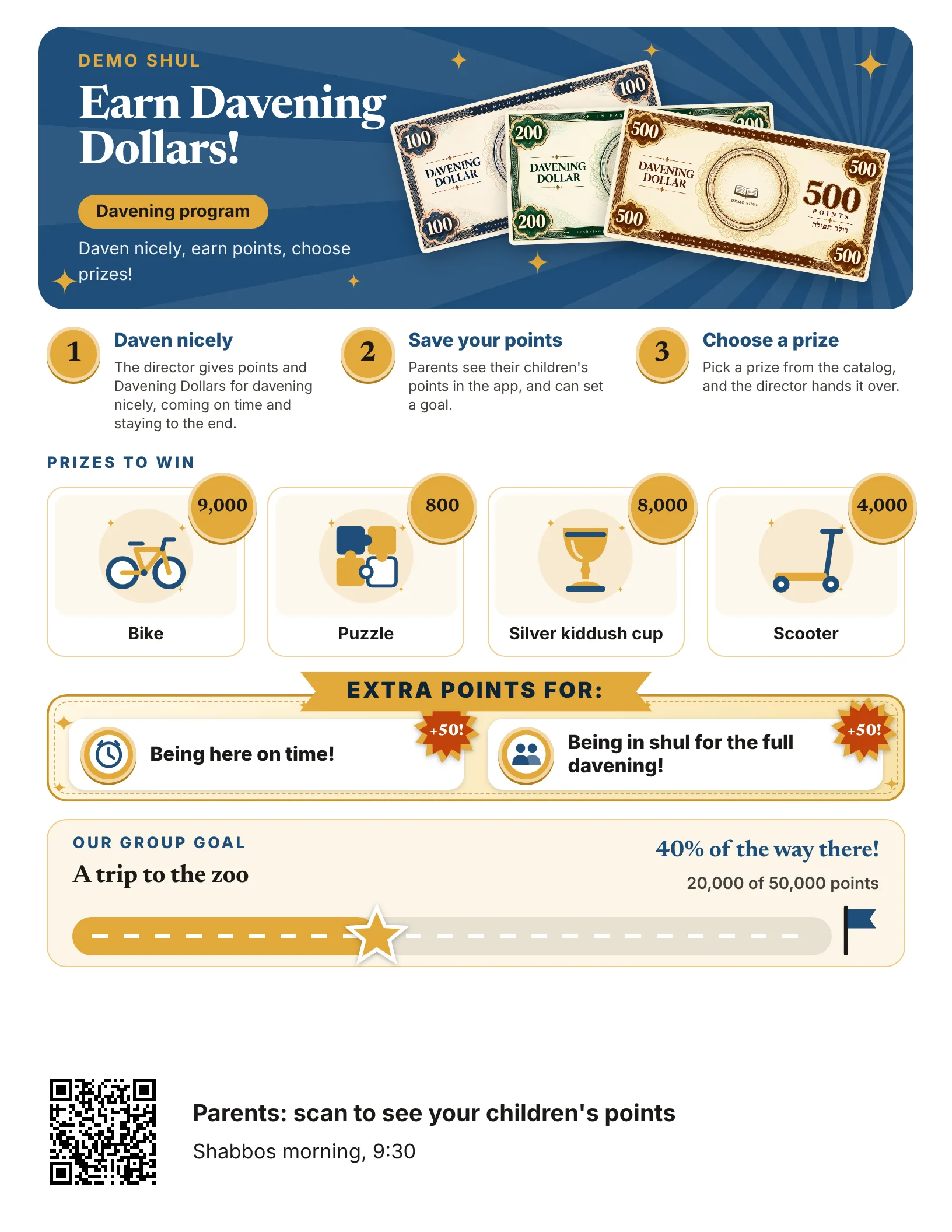
Reusable bills, an engraved banknote with your logo: print them once on card, laminate, and hand them out on Shabbos. After Shabbos the kids give them to the director, who counts them in as points, and the bills go back in the pile for next week. Parents can scan from home if the shul turns it on.
Prizes and a printed catalog
Numbered prizes with photos, stock and categories, a magazine-style printed catalog with a cover, tiers and an index, and a rules poster for the wall.
Goals, celebrations and privacy
A goal per child, a celebration when a prize is ready or a goal is reached, and no leaderboards: children are never shown publicly.
Bring the whole shul onto one system before the next Yom Tov
Start today and have the basics running in an afternoon, or let us show you your own shul first. We move the rest over for you, history and all.